

Upload immunization records to Magnus Health
- You will be contacted by Magnus Health via email (Please check your spam).You will receive an email notification through your preferred e-mail address that you listed with instructions on how to complete and submit your information to them.聽
听听 Please contact Magnus Customer Support at 877-461-6831 or service@magnushealthportal.com
Instructions
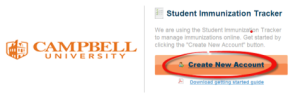
Step 1. Create a Magnus Health Account sent to your preferred email.
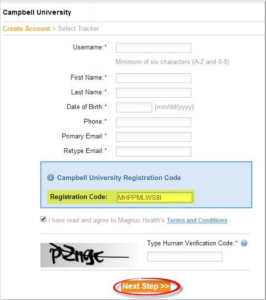
Step 2. Complete all fields, then click 鈥淣ext Step鈥� (do not change the pre-populated registration code). If you need a new one contact Magnus Health customer service.
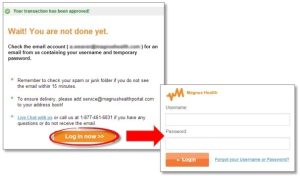
Step 3. Click 鈥淟og in now鈥� and enter your username and temporary password. You will then be prompted to create a new password to activate your account.
Completing Your Requirements
Once you鈥檙e logged in, you will be shown a brief instructional video, then taken to your Student Immunization Tracker homepage. Here you can view a list of your program requirements.聽
-
- First, click the 鈥淧lease Download鈥� or 鈥淧rint blank forms鈥� link in the yellow box under your name. Fill out the document and save it as a PDF on your computer.
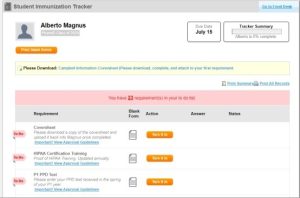
- Next, click 鈥淭urn it in鈥� next to the Coversheet requirement. Click 鈥淵es, submit鈥� to submit your immunization record.
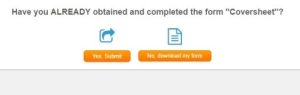
DO NOT click 鈥淣o, download my form鈥� because you will have to enter it manually.
- Click 鈥淯pload鈥� and 鈥淐hoose File鈥� to browse your computer for a PDF document of the corresponding record, then click 鈥淯pload Record.鈥� This will update the status to 鈥淩equirement Complete Pending School Approval.鈥�
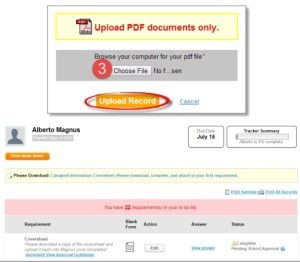
- First, click the 鈥淧lease Download鈥� or 鈥淧rint blank forms鈥� link in the yellow box under your name. Fill out the document and save it as a PDF on your computer.